Chrome extension · FREE to install

Your FREE job application assistant

Start with FREE credits to generate cover letters, tailor your resume, and autofill applications on any job site.

ApplyGen reads the job description on the page you're already on — LinkedIn, Indeed, Workday, or any careers site — and gives you three tools in one click: a tailored cover letter, surgical edits to tailor your resume to the role, and AI-powered autofill for the application form.

🔒 linkedin.com/jobs/view/4019287465?q=full+time&l=Victoria%2C+BC

Full-Time Delivery Driver · Zzenzen Logistics
Victoria, BC Full-time $22 – 26 / hr
Works on the job boards you already use
LinkedIn
Workday
Indeed
Greenhouse
Lever
Ashby
Set up in 30 seconds.

No account required to start. Add the extension, pin it to your toolbar, and you're ready to apply.

01
Add to Chrome
One click from the Chrome Web Store. Free to install — no sign-up needed to get started.
02
Pin to your toolbar
Click the puzzle icon in Chrome and pin ApplyGen for one-click access on every job page.
03
Open any job page
LinkedIn, Indeed, Workday, Greenhouse, or any company careers site — we work everywhere.
Step 0 · One-time setup

First, set up your profile.

Upload your resume PDF or Docx, add your basic info, and pick a writing style. Takes about a minute — you only do this once and ApplyGen handles the rest.

Three tools, one workflow.

From job posting to submitted application — ApplyGen handles each step so you can apply to more jobs in less time.

01 · Cover Letter

Generate a tailored cover letter in one click.

ApplyGen reads the job description on the page, combines it with your resume, and writes a personalized letter in your voice — ready to download, copy, or send.

Download PDF Download Word (.docx) Edit in Google Docs
02 · Tailor Resume

Rewrite your resume for the role.

ApplyGen suggests surgical edits to your resume — rewording bullets, surfacing relevant skills, and reframing experience to match what the job is actually asking for.

  • Each edit shows the original text, the suggestion, and why it matters
  • Accept, edit, or skip every change — you're always in control
  • Edits are cached per job so reopening doesn't spend credits
03 · Autofill

Skip the boring forms — let AI fill them.

One click and ApplyGen fills every field on the application form — name, email, work history, dropdowns, open-ended questions — using your resume as the source of truth.

  • Works on forms on any career site
  • AI vision handles dropdowns, multi-step forms, and custom questions
  • Review every answer before you submit — no surprises

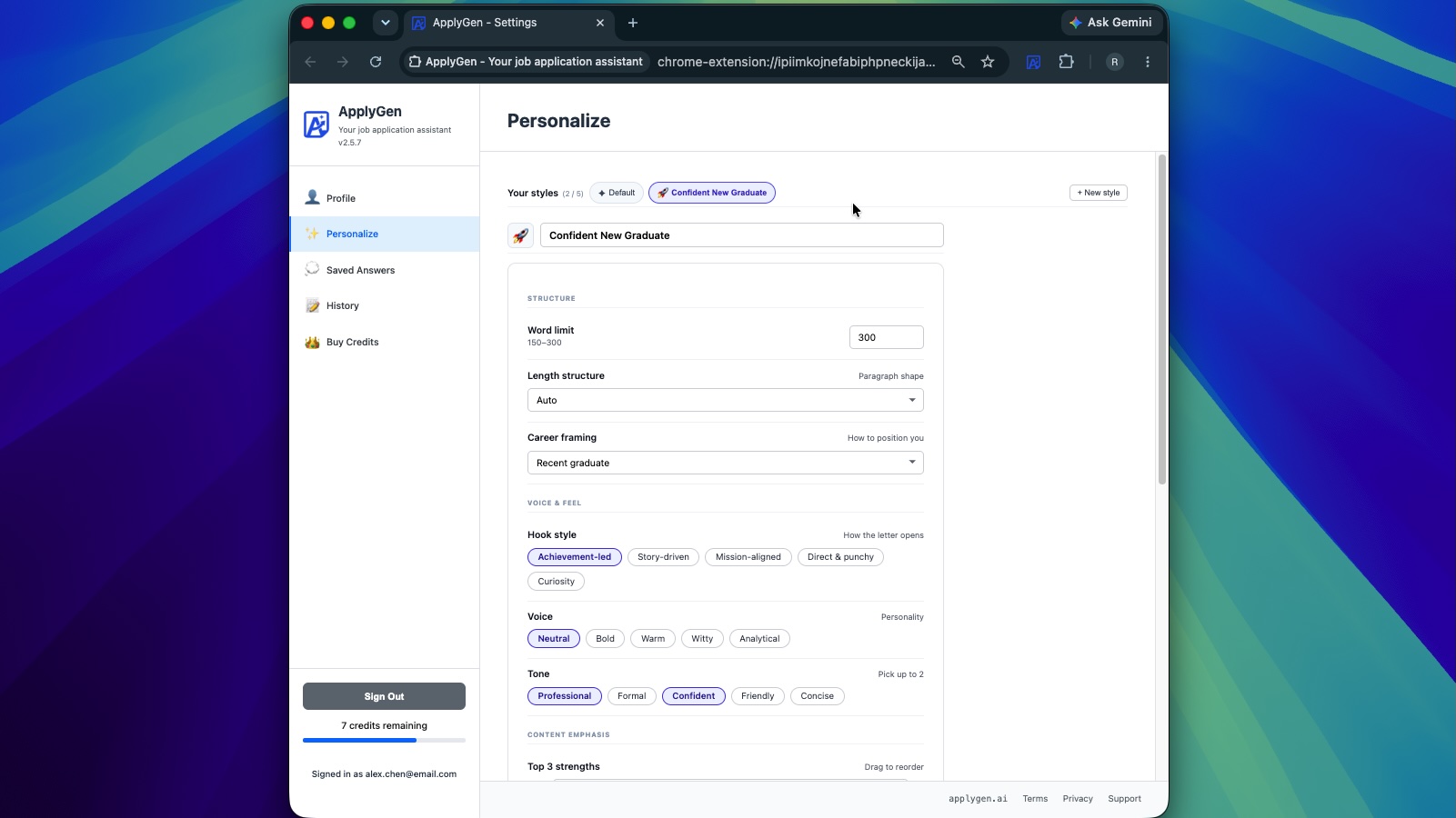
Save up to 5 writing styles.

Different roles need different voices. Save presets for creative roles, or anything else — and switch with one click in the popup.

Style presets in the ApplyGen popup
Screenshot placeholder · drop into assets/screenshots/style-presets.jpg

Buy more credits any time.

Packs of 20, 50, and up to 200 credits. Credits never expire — use them whenever you're applying.

FAQs

Is it really free? +
Yes. You get 10 free letters on install with no sign-up. Sign in with Google (also free) and you get 10 more — 20 total before you ever need to pay.
Do I have to pay to save my cover letters? +
No. History is free — you just need a free Google account to save your letters.
Do credits expire? +
Never. Buy what you need, use whenever you're applying.
Which job sites are supported? +
Any job posting site and careers page.
Start writing better
cover letters.
No credit card · No sign-up to start · Works on any job site

Questions, product information, or support? Email applygenai@gmail.com